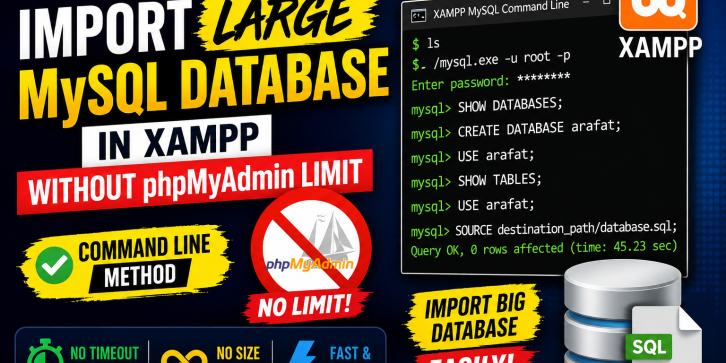
Are you facing upload size limitations while importing a large MySQL database through phpMyAdmin?
Many developers encounter issues such as:
- Maximum upload size exceeded
- Execution timeout
- Memory limit errors
- Incomplete database imports
This tutorial demonstrates how to import large MySQL databases directly using the XAMPP MySQL Command Line, eliminating phpMyAdmin limitations and making database restoration much faster and more reliable.
Whether you are working with PHP, Laravel, CodeIgniter, OpenCart, WordPress, or any MySQL-based application, this method can save you valuable development time.
What You Will Learn
✅ Import large SQL files without phpMyAdmin
✅ Avoid upload size limitations
✅ Fix timeout and memory-related import issues
✅ Use MySQL Command Line in XAMPP
✅ Create and select databases using MySQL commands
✅ Restore large database backups efficiently
Commands Covered
ls

./mysql.exe -u root -p

SHOW DATABASES;

CREATE DATABASE arafat;

USE arafat;

SHOW TABLES;

SOURCE destination_path/database.sql;
Requirements
- XAMPP Installed
- MySQL Running
- SQL Database Backup File (.sql)
- Basic Knowledge of Command Prompt
Suitable For
- PHP Developers
- Laravel Developers
- CodeIgniter Developers
- OpenCart Developers
- WordPress Developers
- Database Administrators
- Students Learning MySQL
Tutorial Type
- Step-by-Step Video Tutorial
- Beginner Friendly
- Practical Demonstration
- Real-World Use Case
Benefits
Instead of modifying php.ini, increasing upload limits, or changing timeout configurations, you can directly import large databases through the MySQL Command Line.
This method is:
✔ Faster
✔ More Reliable
✔ No Upload Limit
✔ No Browser Dependency
✔ Ideal for Large Projects